Gemini Storybook
Google’s free Storybook in Gemini: describe a story (or tap a sample prompt), and in a minute or two get a unique 10-page illustrated book with read-aloud narration—best with a parent’s Google account.
How to use it
Use toolEverything you need for this tool is on this page. Overview, safety, and pricing are in “More about this tool” at the bottom.
Gemini Storybook requires a Google account for users 18+. A parent should sign in, write or approve the prompt, and read the finished story with the child before sharing any link.
Flow: open the Storybook overview → Start your story → pick a suggested prompt or type your own idea → wait while Gemini builds a 10-page book → read or listen together. Generation usually takes one to two minutes.
-
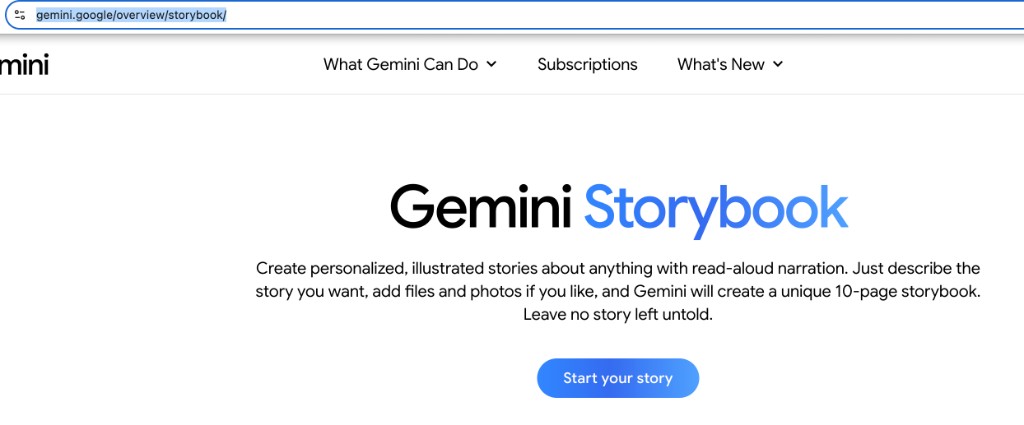
Open Storybook and tap Start your story
Go to gemini.google/overview/storybook/ and read what Storybook does (10 illustrated pages, optional photos, read-aloud). Tap the blue Start your story button. Sign in with a parent’s Google account if prompted—Storybook is for users 18+, with parents creating for kids.
-
Choose a sample prompt or describe your own story
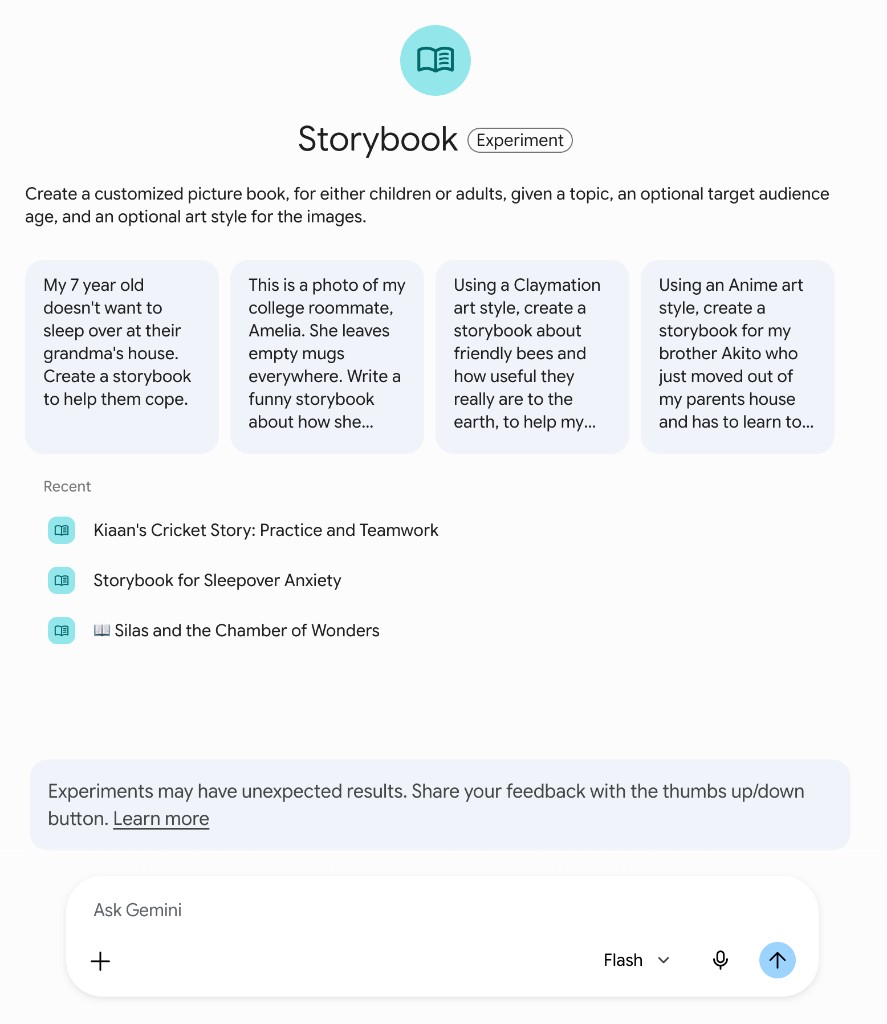
You land in the Storybook chat. Tap one of the gray suggestion cards (for example a sleepover worry, Claymation bees, or a story for a sibling)—or type your own idea in the box at the bottom (placeholder may say “Ask Gemini”). You can mention age, art style, or attach family photos with the + button for a more personal book.
Tip: Keep the first prompt simple: one character, one problem, and a happy ending. You can ask Gemini to change tone or art style in a follow-up message after the first version.
-
Wait for Gemini to generate your storybook
Press send (arrow button) and wait—usually about one to two minutes. Gemini writes the story and creates illustrations page by page. Do not close the tab while it is working. If it stops or errors, try a shorter prompt or refresh and sign in again.
Tip: Busy times can take longer. “Recent” shows past storybooks you can reopen from this screen.
-
Read, listen, and share with your family
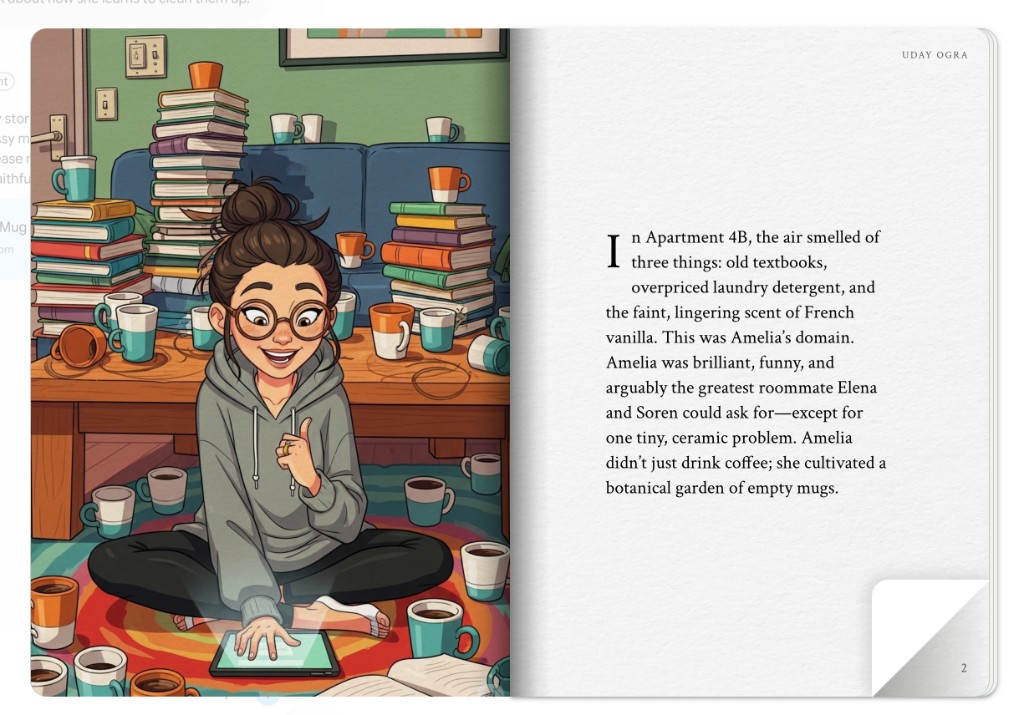
When finished, flip through the 10 pages: illustrated spread on one side, text on the other. Use read-aloud narration if your language is supported (45+ languages on the product site). Read together, then decide whether to print, share a link, or start a new story—only share with people you trust.
-
Optional: refine with a follow-up prompt
You cannot edit text directly on the page, but you can chat to Gemini: “Make it funnier,” “Use watercolor style,” or “Add a page about the dog.” Gemini generates a new version. Review each new book before kids read it.
Tip: Workspace and student Google accounts may not be able to share storybooks—use a personal family account for sharing.
More about this tool — overview, features, safety, pricing
Overview
Gemini Storybook turns a short description (and optional photos or files) into a personalized, illustrated 10-page story with professional read-aloud narration—useful for bedtime, first-day-of-school nerves, or turning a vacation into a keepsake.
Google positions it for adults 18+ to create stories for children; parents control prompts, review AI output, and handle sharing.
Stories can be created in many languages; narration support varies by language—check <a href="https://gemini.google/overview/storybook/" target="_blank" rel="noopener noreferrer">Google’s Storybook page</a> for the current list.
Key features
- 10-page illustrated books. Each request typically becomes a full visual narrative in a couple of minutes—not just text.
- Read-aloud narration. Listen page by page; helpful for pre-readers and bedtime routines.
- Photo and file prompts. Upload family pictures or documents so characters and settings feel familiar.
- Multilingual stories. Create books in a home language or for language practice—where Gemini and narration are available in your region.
Safety & privacy notes
Data & accounts
- Requires a Google account (18+). Prompts and uploads are processed by Google’s Gemini service—review <a href="https://policies.google.com/privacy" target="_blank" rel="noopener noreferrer">Google Privacy Policy</a> and Gemini terms before uploading children’s photos.
Supervision
- Parents should write or approve every prompt, skim all pages before reading aloud, and control whether a share link is sent. No child account is required if the parent creates the book.
Content & community
- AI may produce odd or inappropriate lines—always preview. Public share links are optional; treat them like any family photo link.
Family project ideas
- First-day-of-school story. Describe your child, their teacher, and the classroom; make a book about feeling nervous then brave. (15–20 min)
- Vacation memory book. Upload two trip photos and ask for a short adventure starring your child in the places you visited. (15 min)
- Feelings story with their face. Use a photo (with consent) in a gentle story about jealousy, worry, or excitement—read it together after. (20 min)
- Grandparent language book. Ask for a simple story in a grandparent’s language for bilingual practice at home. (15 min)
Pricing & account
Free — Included with Gemini; no separate Storybook subscription. A personal Google account (18+) is required.
Account required: Yes
Platforms: web, mobile, tablet